GLM-OCR is a 0.9B vision-language model ranked
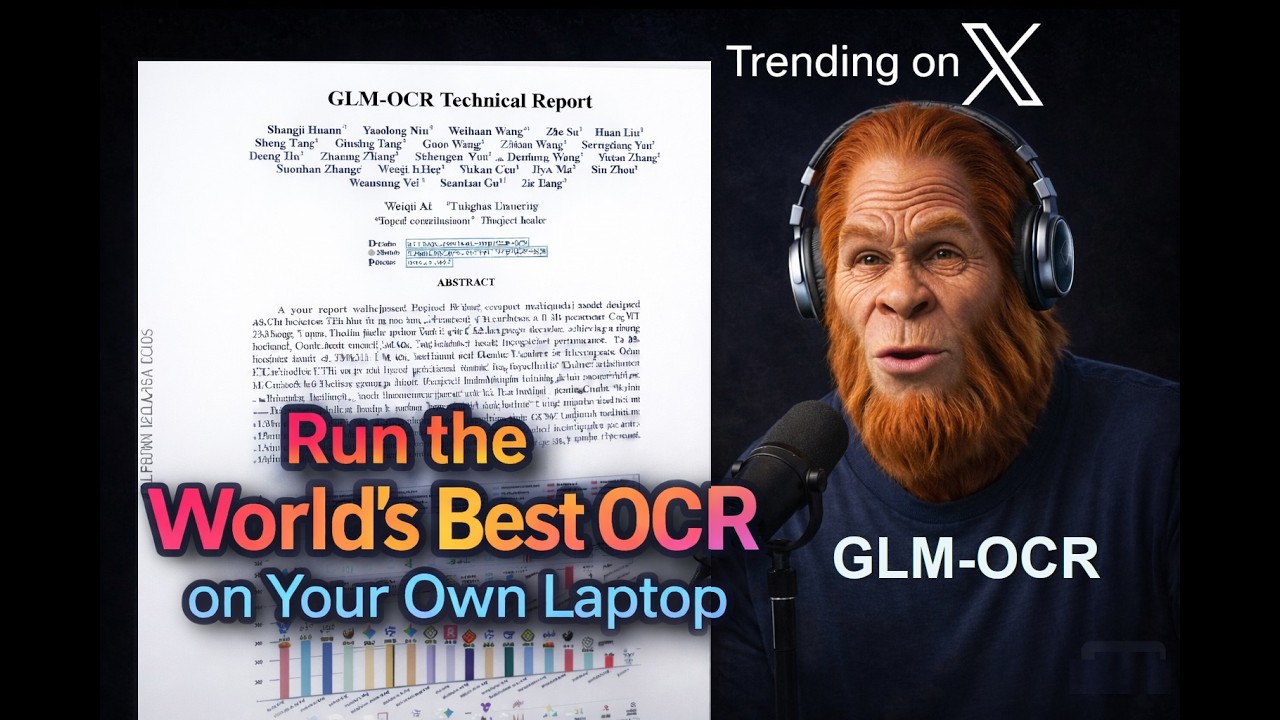
When it comes to OCR, there's no shortage of great solutions — from cloud APIs to fully managed pipelines. But before you commit to any service, there's real value in running things locally first: you understand the model, you control the data, and you don't pay a cent while you're figuring things out.
In this post, we'll do exactly that. We'll take GLM-OCR — a 0.9B parameter vision-language model ranked #1 on OmniDocBench, beating models 10x its size — and run it locally with Ollama. Free, local, and ready in minutes.
Why OCR?
The Optical Character Recognition landscape is vast, but GLM-OCR stands out as a multimodal model specifically built for complex document understanding.
Developed by Z.ai and based on the GLM-V encoder-decoder architecture, it introduces advanced training techniques like Multi-Token Prediction loss and full-task reinforcement learning to drastically improve recognition accuracy. Instead of relying on massive, unwieldy models, GLM-OCR proves that highly focused architectures can dominate specific tasks.
Despite its incredibly small size of just 0.9 billion parameters, GLM-OCR achieves a score of 94.62 on OmniDocBench, ranking #1 overall. This small footprint means it can run fully locally on standard consumer devices — MacBooks or edge devices — without sacrificing capability.
It successfully rivals and often outperforms much larger, closed-source models across benchmarks for formula recognition, table extraction, and information extraction.
Two-Stage Pipeline
The secret to this "small but mighty" performance is its two-stage pipeline, which pairs the language decoder with the PP-DocLayout-V3 layout detection model. By first analyzing the document layout and then performing parallel recognition, GLM-OCR maintains robust performance on highly complex real-world scenarios — including code-heavy documents, intricate tables, and documents with rotating or staggered layouts.
Scaling Inference with Doc-Vision.com
Running models locally with Ollama is ideal for testing, personal projects, and CPU-only environments.
However, as your document parsing needs scale, transitioning from a local machine to a robust cloud infrastructure becomes essential. Doc-Vision Cloud deployments let you serve the pipeline at scale, leveraging time-slicing configurations and distributed worker-server setups for maximum throughput and efficiency.
Doc-Vision offers a no-code setup environment, a Google Drive-style document repository optimized for financial documents, smart search and reconciliation, and a built-in Claude-Code AI builder to create your own custom mini-app flows and reports.
Introducing Ollama and llama.cpp
For local deployment, it is crucial to understand the ecosystem that makes local inference so accessible. At the core of this democratization is llama.cpp — a high-performance C++ engine designed to run LLMs on standard hardware with maximum efficiency.
While
llama.cppis incredibly powerful, it can require manual compilation and complex command-line arguments to operate.
This is where Ollama steps in as the "user interface" and manager. Ollama acts as a user-friendly wrapper around the llama.cpp backbone, allowing developers to download models, manage memory, and serve a clean API with simple commands. It handles the underlying complexity, bringing powerful language models to developers who may not be machine learning engineers.
To achieve this efficiency on local hardware, the engine relies heavily on quantization and the GGUF file format. Quantization shrinks the size of the model weights — such as using 2-bit or 4-bit representations instead of standard 16-bit floats — so the model can run on cheaper hardware without losing significant performance.
Installing Ollama and GLM-OCR with Docker
Let's get our hands dirty with some code. First, here's how to install and launch Ollama and GLM-OCR with Docker.
You can also install Ollama natively — a fast download from the Ollama site — but Docker is a solid choice when you want GLM-OCR running as a persistent server you can reach over the network.
🐳 Step 1: Launch the Ollama Container
docker run -d \
  --name ollama-server \
  -v ollama_storage:/root/.ollama \
  -p 11434:11434 \
  ollama/ollama
Note that we mount a Docker volume onto /root/.ollama so the multi-gigabyte model stays on disk even if you delete and recreate the container.
📦 Step 2: Download the Model
Pull GLM-OCR from the library; plan for roughly 2-4 GB on disk.
docker exec -it ollama-server ollama pull glm-ocr⚙️ Step 3: The Modelfile
Default settings often break down for OCR: images need a larger context window than a short text prompt, so we bake tuned parameters into a custom model.
Enter the container:
docker exec -it ollama-server bashCreate a Modelfile:
cat <<EOF > GLM-Config
FROM glm-ocr
# Hardware & Context Settings
PARAMETER num_ctx 16384
PARAMETER num_thread 6

# Generation Parameters
PARAMETER num_predict 8192
PARAMETER temperature 0
PARAMETER top_p 0.00001
PARAMETER top_k 1
PARAMETER repeat_penalty 1.1
EOF
Sampling options are usually chosen at inference time, but for this narrow OCR workflow — and especially with a modern vision-language model — locking them in the Modelfile tends to give the most stable output. I do not recommend treating them as knobs you tweak casually.
Deploy the updated model version:
ollama create glm-ocr-optimized -f GLM-Config
exit
🚀 Step 4: Using the API
With the server running, you can now send images to the model. Images must be sent as Base64-encoded strings.
At the top, we import the libraries we need — requests to download the image, PIL to resize it, base64 to encode it, and ollama to talk to the local model.
import requests
import base64
import ollama
import sys
import time
from io import BytesIO
from PIL import Image
The configuration block sets the image URL, the model name — which is the custom model we created in the Modelfile — and a MAX_DIMENSION of 1024 pixels. Keeping images at 1024 pixels on the longest edge strikes a good balance between detail and processing speed.
# 1. Configuration
IMAGE_URL = "https://marketplace.canva.com/EAE92Pl9bfg/6/0/1131w/canva-black-and-gray-minimal-freelancer-invoice-wPpAXSlmfF4.jpg"
MODEL_NAME = "glm-ocr-optimized"
MAX_DIMENSION = 1024
The get_optimized_image_b64 function downloads the image, checks its dimensions, and resizes it only if it exceeds our limit — using Lanczos resampling for clean downscaling. Then it encodes the result as a JPEG at 85% quality and returns it as a Base64 string.
def get_optimized_image_b64(url):
    """Downloads, resizes, and encodes the image."""
    print(f"📥 Downloading image...")
    response = requests.get(url)
    img = Image.open(BytesIO(response.content))

    original_width, original_height = img.size
    print(f"📐 Original Size: {original_width}x{original_height}")

    if max(img.size) > MAX_DIMENSION:
        img.thumbnail((MAX_DIMENSION, MAX_DIMENSION), Image.Resampling.LANCZOS)
        print(f"🪄 Resized to: {img.width}x{img.height}")
    else:
        print("✅ Image is already small enough, skipping resize.")

    buffered = BytesIO()
    img.save(buffered, format="JPEG", quality=85)
    return base64.b64encode(buffered.getvalue()).decode('utf-8')
In run_ocr, we first prepare the image, then call ollama.generate with streaming enabled. Notice the prompt is simply "Text recognition:" — short and direct. The model already knows what to do because we baked the system prompt and inference parameters into the Modelfile.
def run_ocr():
    try:
        image_b64 = get_optimized_image_b64(IMAGE_URL)

        print(f"🚀 Sending to Ollama (waiting for first token)...")
        start_time = time.time()
        first_token = True

        stream = ollama.generate(
            model=MODEL_NAME,
            prompt="Text recognition:",
            images=[image_b64],
            stream=True
        )
Finally, we iterate over the streamed chunks and print each token as it arrives. We also record the time to the first token — a useful latency metric — and log the total processing time once the stream completes.
        for chunk in stream:
            if first_token:
                print(f"⏱️ Time to first token: {time.time() - start_time:.2f}s\n")
                first_token = False

            print(chunk['response'], end='', flush=True)

        print(f"\n\n✅ Total Processing Time: {time.time() - start_time:.2f}s")

    except Exception as e:
        print(f"\n❌ Error: {e}")

if __name__ == "__main__":
    run_ocr()
👀 Step 5: Inspecting Results
With the container up, run the script:
python run_ocr.pyWhile it's processing, open another terminal and run docker stats to watch the container in real time:
CONTAINER ID   NAME            CPU %     MEM USAGE / LIMIT     MEM %
0ca7a28d6fe2   ollama-server   600.42%   4.359GiB / 7.607GiB   57.31%
The container sits at well over 600% CPU — roughly six cores maxed out — while memory holds steady at about 4.3 GiB out of 7.6 GiB.
Here is the script's own log for the same run:
📥 Downloading image...
📐 Original Size: 1131x1600
🪄 Resized to: 724x1024
🚀 Sending to Ollama (waiting for first token)...
⏱️ Time to first token: 174.96s

YOUR LOGO
NO. 000001

INVOICE

Date: 02 June, 2030

Billed to:
Studio Shodwe
123 Anywhere St., Any City
hello@reallygreatsite.com

From:
Olivia Wilson
123 Anywhere St., Any City
hello@reallygreatsite.com

Item          Quantity  Price  Amount
Logo          1         $500   $500
Banner (2x6m) 2         $45    $90
Poster (1x2m) 3         $55    $165

Total $755

Payment method: Cash
Note: Thank you for choosing us!

✅ Total Processing Time: 183.39s
The image is downloaded, resized from 1131x1600 down to 724x1024, then sent to Ollama. Most of the wait is before the first token — on the order of three minutes for the vision encode and prefill. The streamed invoice text after that is correct and only accounts for a few seconds on top.
So the bottleneck is not decode — it's the vision encoder and prefill. That is where GPUs help: they vectorize the heavy part of the pipeline.
GLM-OCR SDK
Together with the vision-language model, the Z.ai team shipped a comprehensive client SDK — and it bundles something crucial: the safetensors version of PP-DocLayout-V3 from PaddleOCR.
PP-DocLayout-V3 is a state-of-the-art document layout detection model developed by Baidu's PaddlePaddle team, published in early 2026. Where a plain vision-language model sees an image and tries to read it left-to-right like a human would, layout detection is a different job: it segments the page into semantic regions — text blocks, titles, tables, figures, captions, formulas — before any OCR happens.
What makes PP-DocLayout-V3 particularly powerful is its architecture. It moved from traditional bounding-box detection to an instance segmentation approach built on the RT-DETR transformer framework. Instead of simple rectangular boxes, it predicts multi-point polygonal masks — meaning it can handle physically distorted documents: pages that are skewed, curved, unevenly lit, or photographed at an angle. It also outputs a logical reading order for each region in a single forward pass. The whole model weighs just 126 MB and runs in under 24 ms on an A100 GPU.
GLM-OCR uses it as a pre-processing stage: the layout model first carves the input image into well-defined polygonal regions, then each region is routed to the vision-language model for actual text extraction. This two-stage approach is why GLM-OCR handles messy, real-world documents so much better than feeding a raw full-page image straight into a language model.
Run the GLM-OCR SDK with Layout Detection
Let's throw something harder at it — a table taken from the Qwen3 technical report.
from glmocr import GlmOcr

def run_sdk_ocr(image_path):
    print(f"🚀 Initializing GLM-OCR SDK...")

    with GlmOcr(config_path='./config.yaml') as parser:
        print("🔍 Analyzing document structure...")
        result = parser.parse(image_path)

        print("\n" + "="*20 + " OCR RESULT " + "="*20)
        print(result.markdown_result)
        print("="*52)
Same idea — point the SDK at the image, call parse, print the result.
Here are the results:
==================== OCR RESULT ====================

Table 7: Comparison among Qwen3-4B-Base and other strong open-source baselines.

| Architecture      | Gemma-3-4B Base | Gemma-2.5-3B Base | Gemma-2.5-7B Base | Gemma-3-4B Base |
| :---              | :---            | :---              | :---              | :---            |
| # Total Params    | 4B              | 3B                | 3B                | 4B              |
| # Activated Params| 4B              | 3B                | 3B                | 4B              |

General Tasks

| MMLU       | 59.41 | 65.62 | 74.16 | 72.99 |
| MMLU-Redux | 56.91 | 63.68 | 71.08 | 72.79 |
| MMLU-Pro   | 29.23 | 34.61 | 45.00 | 50.58 |
| BBH        | 17.87 | 16.24 | 16.30 | 17.29 |

Coding Tasks

| EvalPlus   | 43.23 | 46.28 | 62.18 | 63.53 |
| MultiPL-E  | 28.06 | 39.65 | 50.72 | 53.13 |

Multilingual Tasks

| MGSM       | 33.11 | 47.53 | 63.60 | 67.74 |
| MMLU-Pro   | 59.62 | 65.55 | 73.31 | 71.42 |
====================================================
Look at Table 7. That was a dense grid on the PDF — four model columns, section headers, dozens of numbers. And it came back as an actual table. The rows line up, the scores sit under the right model, the section labels — general tasks, coding tasks, multilingual — are separate from the data. That is layout detection doing its job: it figured out where the table starts and ends, what the headings are, and in what order to read the cells — before the language model ever touched a single character.
Summary
A page is not a stream of pixels with a natural reading order — it is a layout. Reliable OCR is mostly about recovering that structure first, then reading the regions in the right sequence. That is the gap between a demo and something you would actually run on your own documents.
GLM-OCR makes that stack legible on commodity hardware: layout detection paired with a compact vision-language model, runnable locally through Ollama so you can inspect behavior, keep the data on your side, and avoid burning quota while you are still learning what "good" means for your files.
If you want a follow-up on managing documents at scale with Doc-Vision.com — say so in the comments. If this was useful, like the video and subscribe so you don't miss that one. Thanks for watching.